
Best while you are standing at the screen. Photos and short replies move quickly, which suits a fix that has to be made one setting at a time.
Contact
Contact Premium IPTV 4K: WhatsApp or email, at any hour
The team behind Premium IPTV 4K answers on WhatsApp and at contact@premiumiptv-4k.co.uk, around the clock and in English. Write before you order, halfway through a setup, or months later when the end date draws near: the same people read every message.
Reach us
WhatsApp or email: which to use
Best for anything you may want to find again: a refund, a receipt, a question about dates. The address is contact@premiumiptv-4k.co.uk.
Ordering
Orders do not start on this page. Every plan card carries a Buy button that opens a WhatsApp chat with that plan named in it.
Your message
A useful first message, by subject
| You are writing about | Put this in the first message |
|---|---|
| Something before ordering | Make and model of the TV or stick, a speed reading taken on it after 19:00, and how many screens you want playing together |
| Your membership | Plan name, day of payment, and the phone number or email the order came from |
| A login that will not work | Which device and which player, the wording of the error (a photo is better), and the username from your welcome message |
| A picture that pauses or looks soft | The time it happens, what was on screen, the speed on the device at that time, cable or Wi-Fi |
| The next order | Which plan you want next and the date your current one ends; the new order comes with new details |
| A refund | When you paid, by card or PayPal, and what happened, sent within 7 days of the payment |
The refund rule is narrow and written down: money comes back if the welcome message never reached you, or if no screen at home would show a picture even after the team helped. It returns by the route it came. Full terms are in the refund policy.
A login is meant for one home. Keep it out of screenshots posted online, help groups included; one that circulates in public can be suspended.
Hours
Around the clock, every day
Messages are read 24/7, nights, weekends and bank holidays included. Short questions tend to get short answers. Setup problems take a few rounds, since the fix happens on your screen, one change at a time.
Holding a remote? WhatsApp suits the pace. Want a paper trail, for a refund or a receipt? Use email: the date and the wording stay on record for both of us.
One complete message works faster than several fragments. With the details from the table, the first reply can be a fix instead of a follow-up question.
Before you pay
Ask before you order
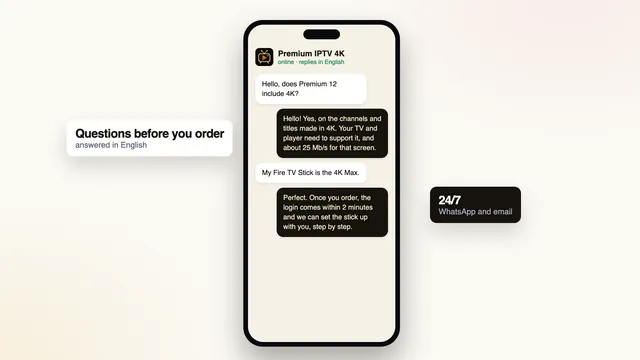
Nothing needs to be decided before you write. People often start with the TV they own, the speed they get in the evening, whether two rooms can watch at the same moment, or how the payment will look on their statement.
All of that is answered before a payment link is sent. When the true reply is that a TV cannot run a player, or a line is too slow for 4K, we say it, and you keep your money.
If you prefer to read first, the premium IPTV plans page sets the four memberships side by side, and the setup page follows a login from the message to the picture settings.
Four questions for any seller
- How many days the refund rule gives you
- The date your access stops
- Where the payment is taken, and by whom
- Who replies when a login fails
FAQ
Common questions before writing
Can I call you?
There is no phone line. In writing you can send photos of the screen and keep the steps to refer back to; WhatsApp and email are both answered 24/7.
Do I have to order before I can ask a question?
No. Tell us the TV or stick and how many screens should play together, and you will know whether a plan fits before paying anything.
I paid but have no welcome message. Where is it?
Check the spam and promotions folders, then the WhatsApp chat that opened when you tapped Buy. Open your banking app to confirm the payment went through. If it did and nothing has come, send us the time of payment.
How does a refund request work?
Email contact@premiumiptv-4k.co.uk no more than 7 days after paying. Say when you paid and what did not work. The rule covers a welcome message that never came and a login that shows nothing on any screen after the team’s help.
Which name will my statement show?
The payment company decides the wording. The team can tell you before you pay.
My device is not mentioned anywhere. Can you still help?
Very likely. Send the make and model. Where no compatible player exists for it, a streaming stick in a free HDMI socket is the usual way round, and you hear that before paying.
Ready to order? Every plan card has a Buy button
The cards give the length, the screens and the price, paid once. Buy opens WhatsApp with your choice written in. Torn between two? Send a question first.